Portfolio Holdings
UX/UI Design, Mobile App Design
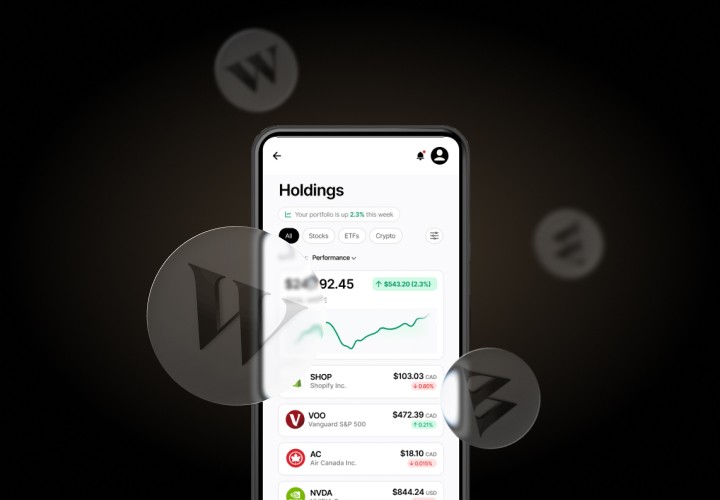
This case study focuses on improving the Portfolio Holdings page on Wealthsimple app where users review performance and manage multiple investments.
Wealthsimple
Portfolio Holdings
UX/UI Design, Mobile App Design
This case study focuses on improving the Portfolio Holdings page on Wealthsimple app where users review performance and manage multiple investments.
2025
UX/UI DESIGNER


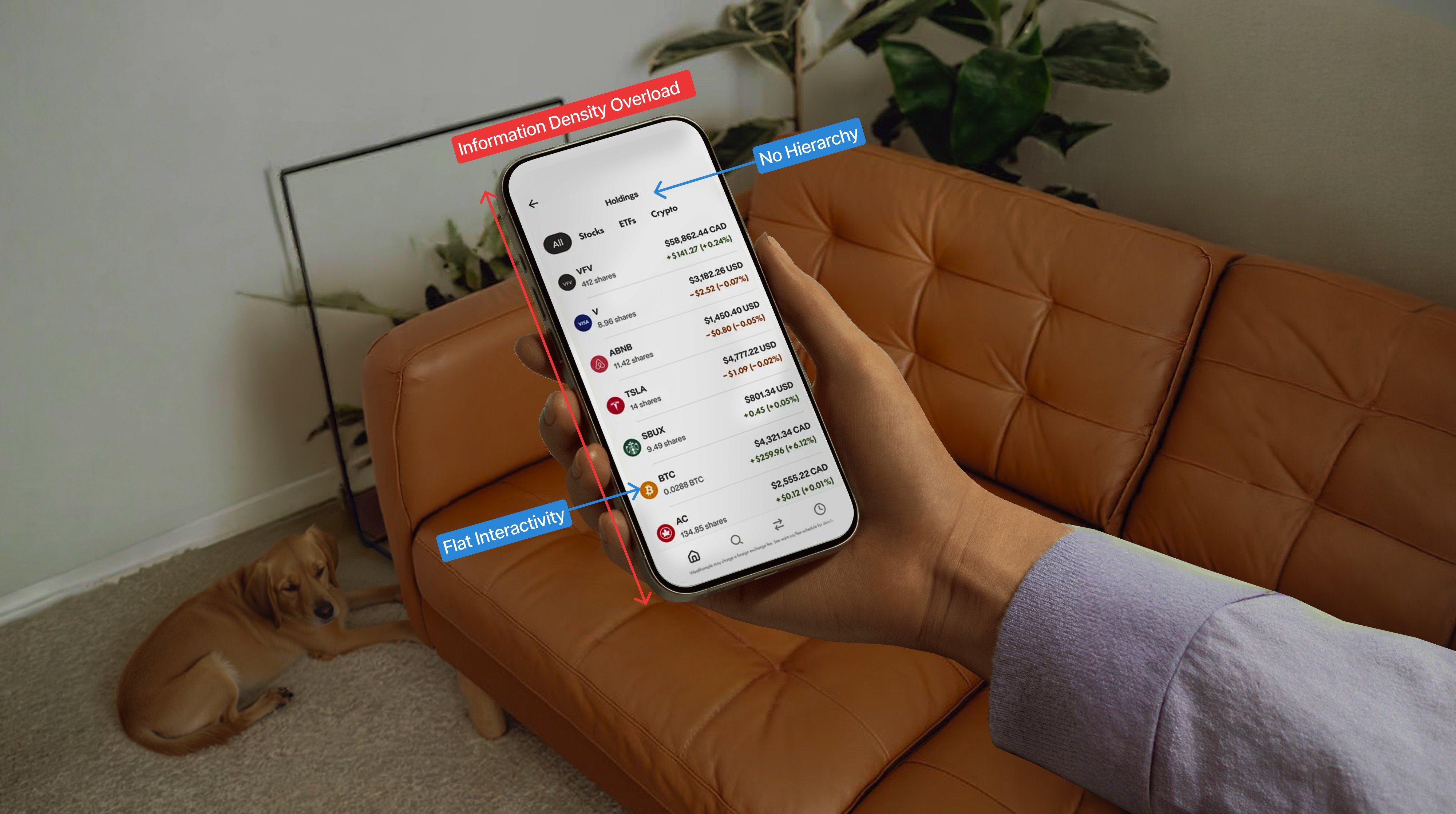
Wealthsimple's original design prioritized information density over information hierarchy. By burying key ownership data and performance metrics under promotional content, the UI failed to support the user’s primary goal: at-a-glance portfolio health checks.
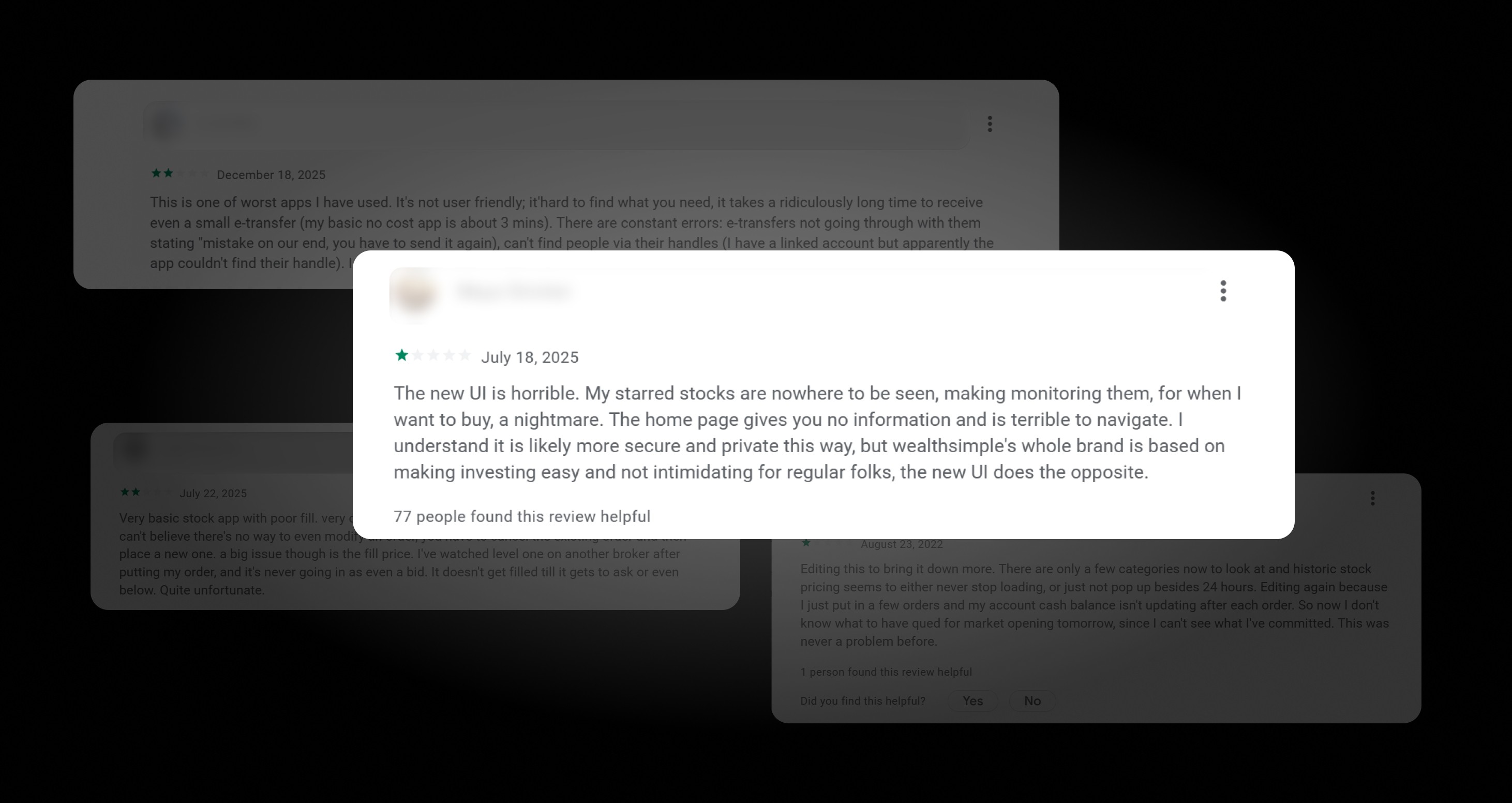
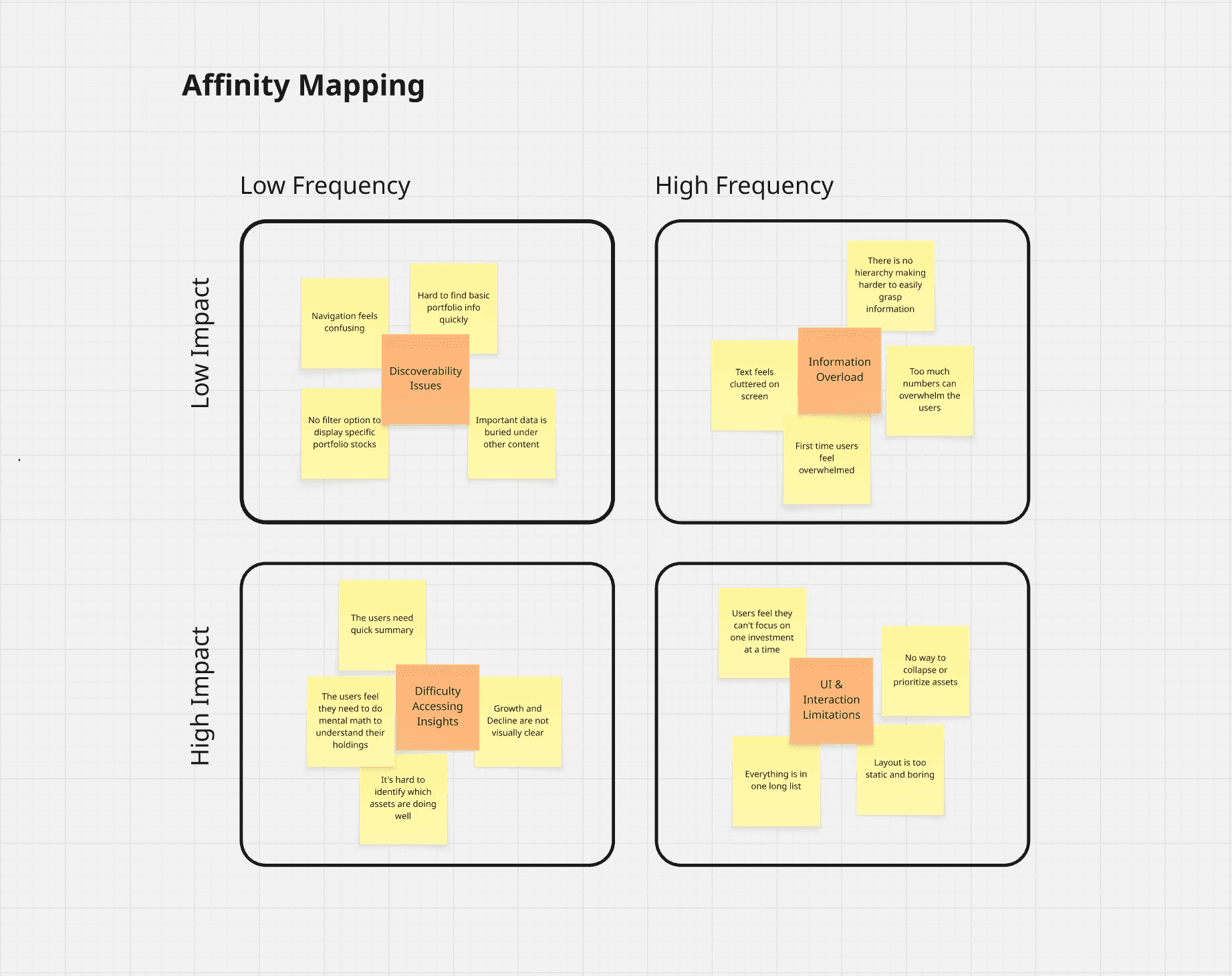
I identified the following user challenges Wealthsimple users face currently.
Research revealed that frustrations spanned across experience levels, from first-time investors to power users.
The First Time User


Wealthsimple's whole brand is based on making investing easy for regular folks; the new UI does the opposite. It feels intimidating and clunky.
The Busy Professional

The home page gives you no information and is terrible to navigate. It takes a ridiculously long time to get into my accounts just to see my holdings.
The Power User

The new UI is horrible! My starred stocks are nowhere to be seen, making monitoring them for when I want to buy a nightmare.
Observations made according to user pain points and insight to takeaway.
The root issue is visual hierarchy failure, not missing features
Users are being asked to do analytical work the UI should do for them
The design treats all information as equally important, creating decision paralysis

Both novice and expert users fail for the same reason, the interface doesn't adapt to intent
The issue was not the amount of data, but how it was structured. Presenting all portfolio information at the same visual weight forced users to process too much at once, leading to confusion and slower comprehension.
Iteration 01:
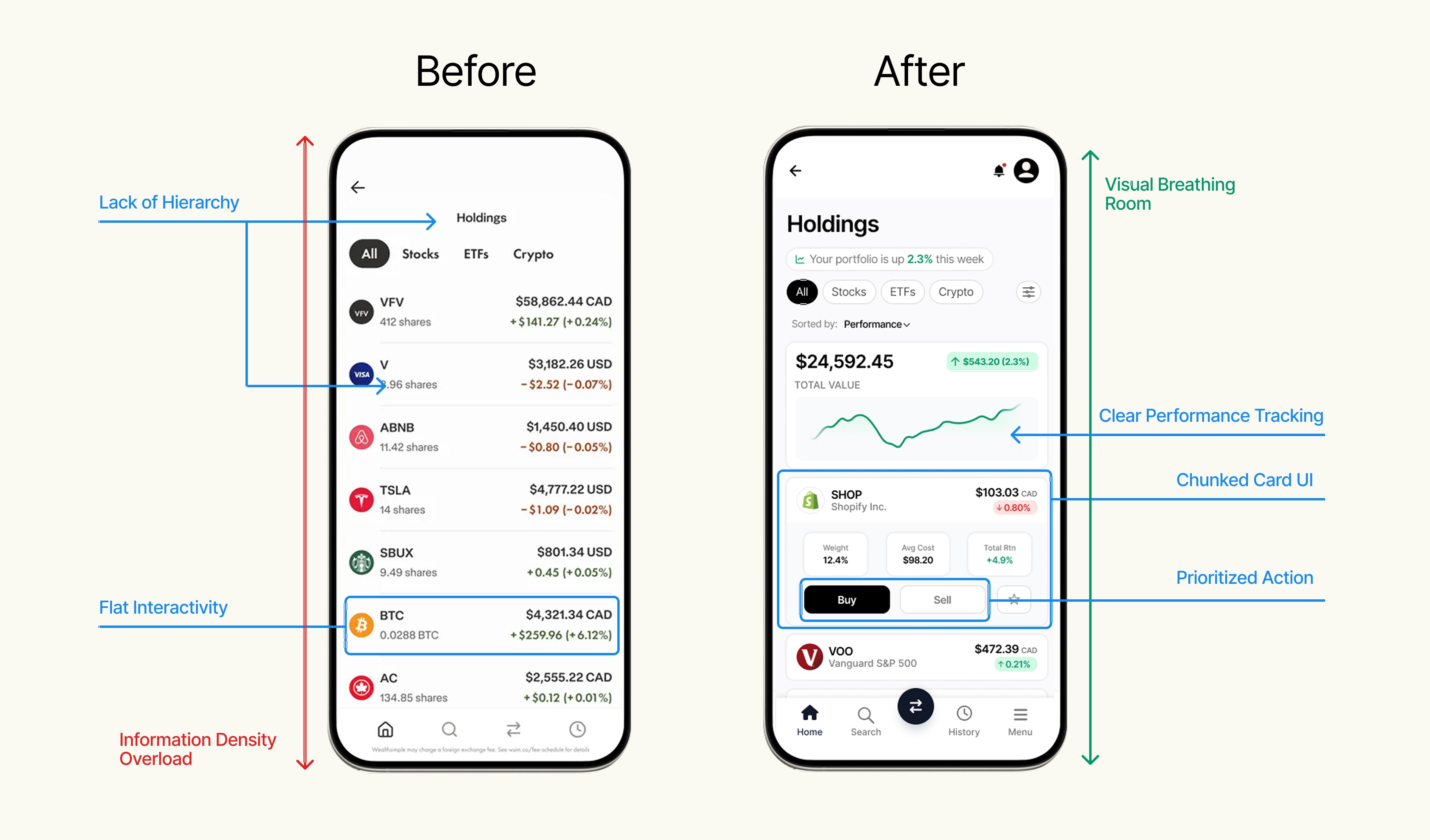
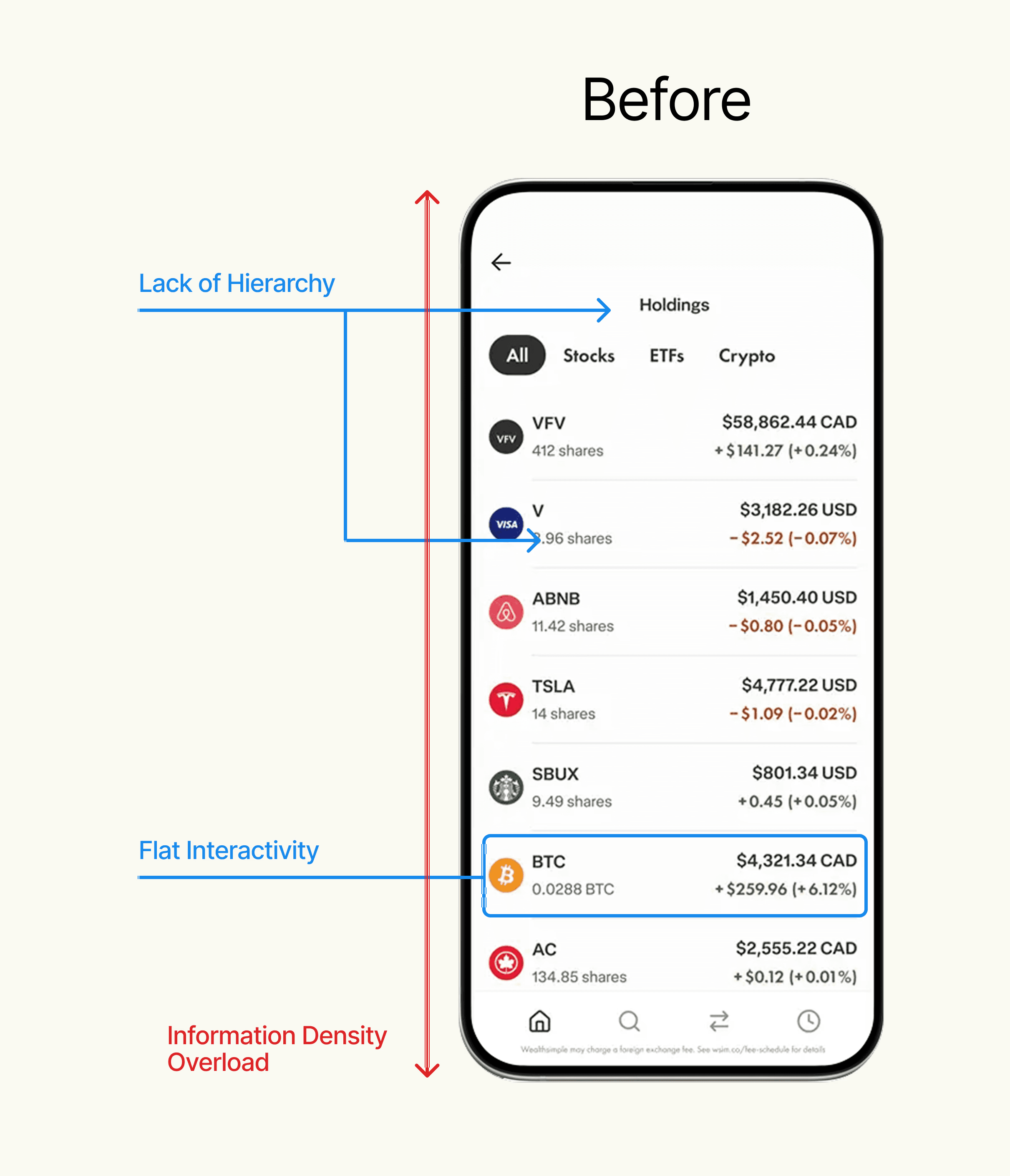
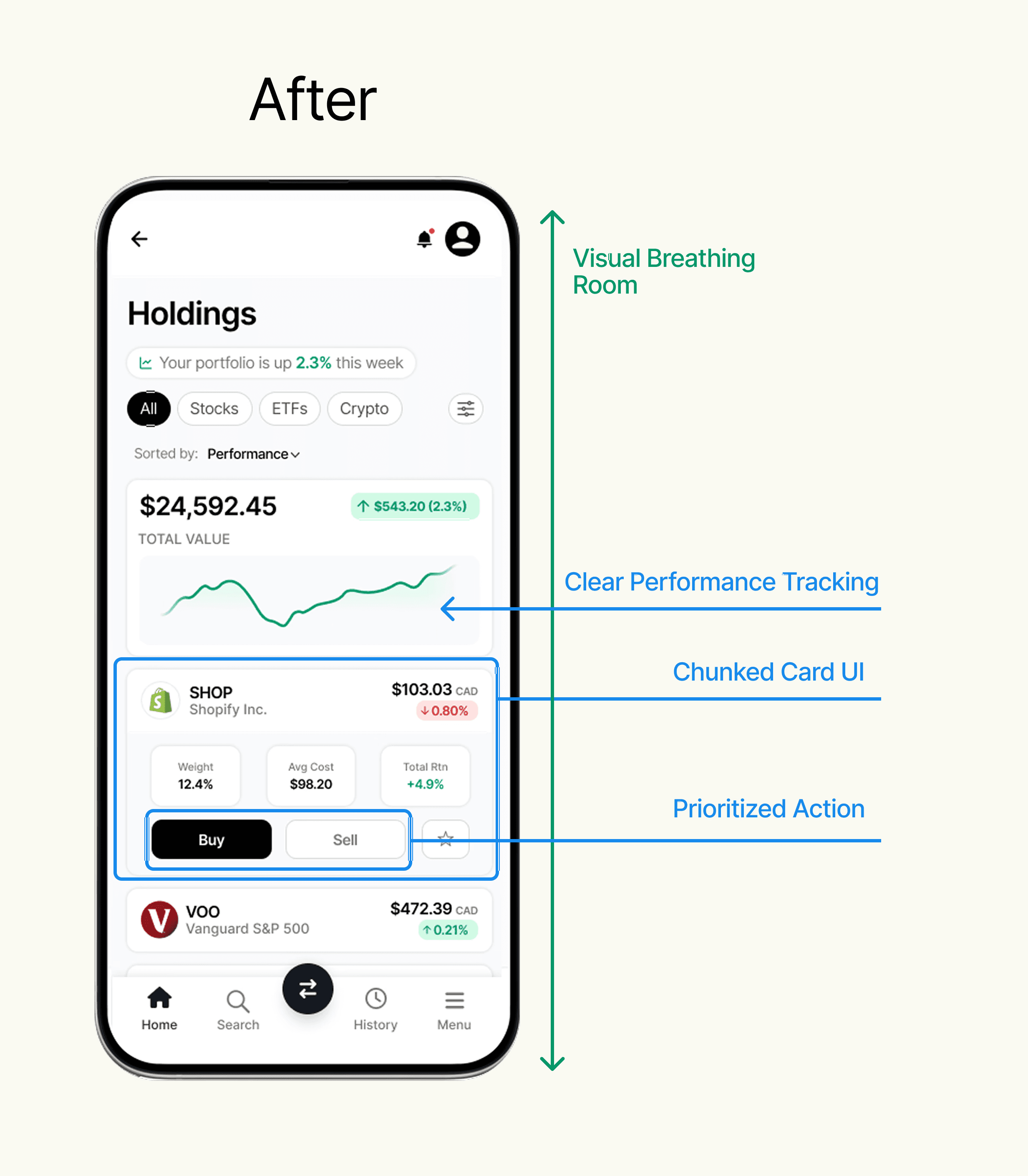
The initial audit of the Portfolio page design displayed a flat interactive model that forces users to navigate through a dense vertical stack.
Key Refinements:
Modular Information Architecture: I transitioned from a rigid vertical list to a chunked, card-based layout. This reduces cognitive load by allowing users to process assets individually rather than being overwhelmed by a dense data grid
Progressive Disclosure: I introduced an expanded state for active holdings. This uses the principle of progressive disclosure to keep the main UI clean while surfacing deep-dive metrics
Experimentation: During this stage, I experimented with replacing 'Share Count' with 'Portfolio Weight' (%) to see if it's more strategically valuable
Iteration 02:
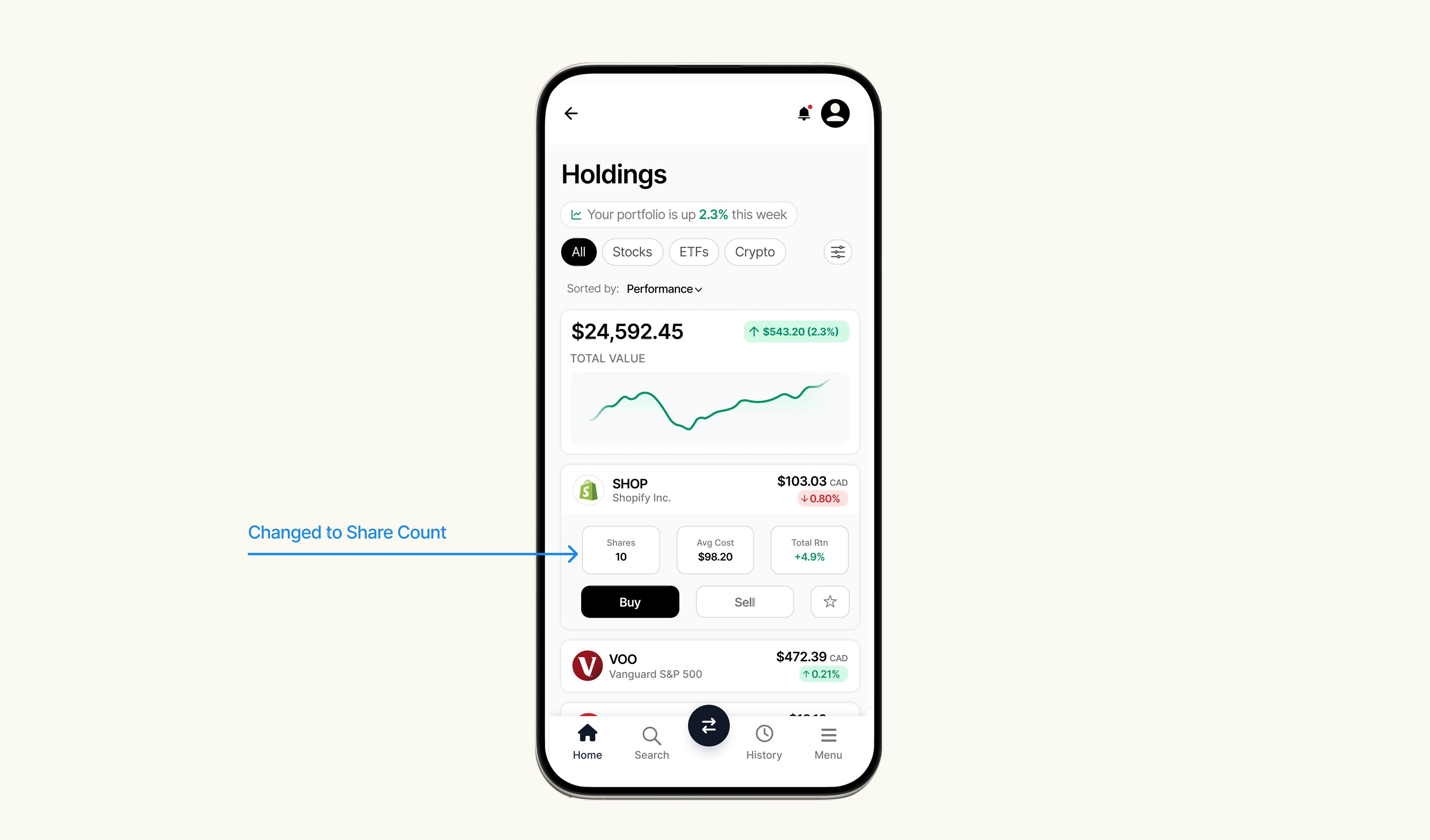
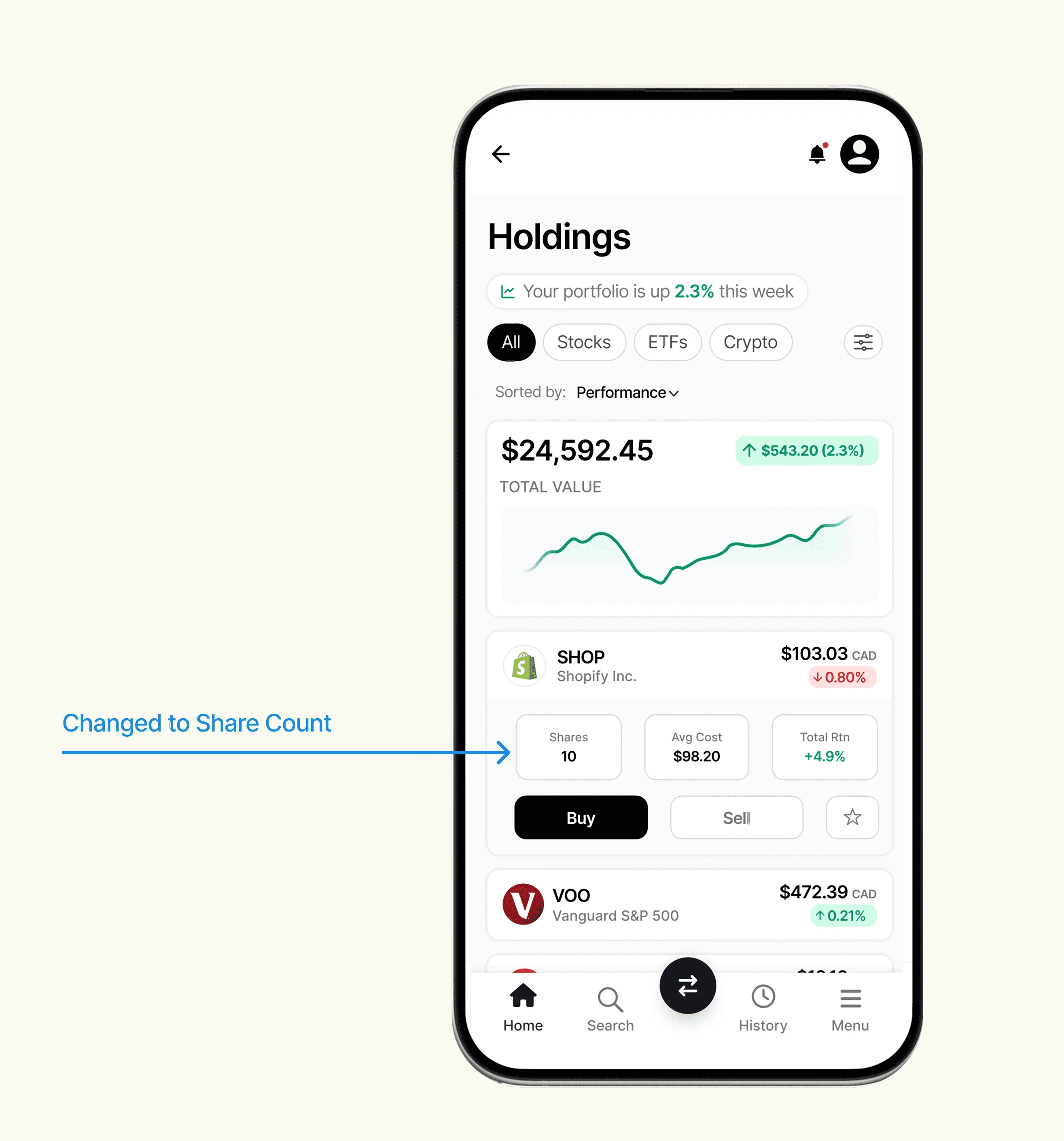
While my iteration 1 experimented with 'Portfolio Weight' for a macro-financial view, I pivoted back to 'Share Count' in the final version. Through self-audit, I identified that ownership clarity is the primary mental model for retail investors, and surfacing shares directly reduces the mental math required for "at-a-glance" health checks.
Key Refinement:
The Pivot: I prioritized ownership by replacing the 'Weight' with 'Share Count'. For real investors to know how many units they own
Reducing cognitive load on the Holdings page directly supports Wealthsimple's core brand promise of making investing accessible
Faster portfolio health checks reduce user drop-off during the critical daily check-in habit
Auditing a product I actually use every day was a different kind of hard than critiquing someone else's work. The biggest lesson wasn't the card layout, it was in the reversal. My first instinct was to surface a "smarter" metric (portfolio weight), and it took sitting with the data to realize retail investors think in ownership, not allocation percentages. Good fintech UX isn't about showing people more it's about matching how they actually think.
This was a self-initiated audit, not a validated redesign, the natural next step would be moderated testing with users managing larger, more complex portfolios (20+ holdings) to see whether the card layout still holds up, or whether it needs a denser "power user" mode alongside it.